Protect your employees – make sure help is on its way fast
With MultiBel Protect, employees can raise the alarm instantly in the event of aggression, an accident or any other emergency – via the app, or a fixed or mobile panic button.
Thanks to the AI-Positioning System, their location is pinpointed accurately, even in complex buildings. The result: your employees never have to face it alone.
Protect options
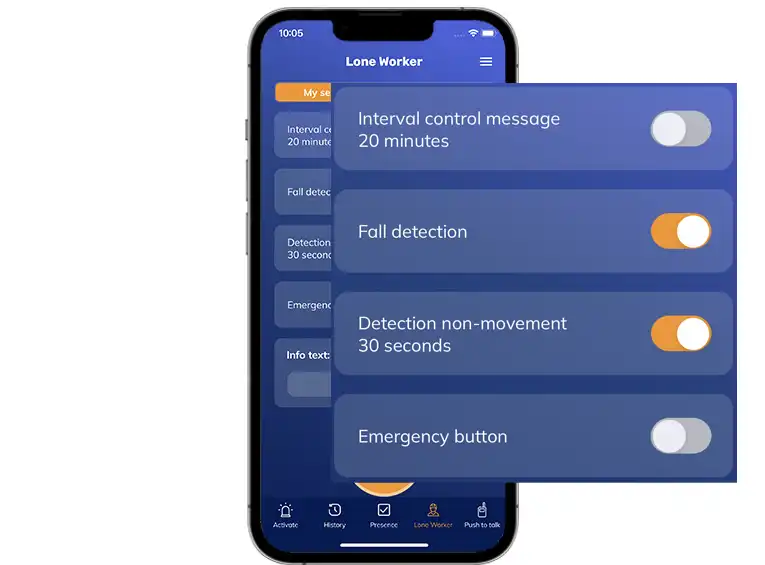
MultiBel app
Suitable for lone workers and aggression risk
- Support on the smartphone
- Support for integrated or Bluetooth emergency button
- Detection of man-down incidents and non-movement
- Interval check
- Location via GPS, Wi-Fi, or manual input
- Two-way voice communication

Fixed emergency button
Suitable as an aggression and company emergency response (BHV) alarm button
- Direct alerting with the press of a button
- Alerting from a fixed location (reception desk, front desk, or consultation rooms)
- No wearable device required

Mobile alarm button
Ideal for shared use and lone workers
- Portable standalone 4G emergency button
- Location-independent
- Easy and quick to use
- GPS location tracking
users in 2025
Discover the best solution for your organization.
Schedule a free consultation today.
MultiBel Protect applications


Sales contact
Contact us for more information or a demo.
Maikel Wijman,
Sales Consultant
MultiBel Protect in use
Healthcare facilities
MultiBel App & emergency button
During evening and night shifts, staff often work alone or with limited staffing. In these situations, it must be possible to raise an alarm quickly and discreetly in case of aggression or other emergencies. At the same time, there is a risk that someone becomes unwell or falls without this being noticed immediately. Emergency buttons are used for instant alerting, while man-down and immobility detection can automatically trigger an alarm when an employee is no longer able to act.


Industry
Fixed CERT emergency button
In industrial environments, fixed-mounted alarm buttons are used to quickly and easily request assistance in case of emergencies with the press of a single button. The fixed location is sent immediately, allowing emergency response teams (BHV) to be alerted quickly and precisely.
Field staff
Mobile duress (panic) button
For field staff working alone, the mobile duress button is used to raise an alert immediately in case of aggression or threat. With the press of a single button, an alert is sent instantly.

Municipality
MultiBel App, mobile and fixed emergency button
Within municipalities, fixed alarm buttons are used at reception desks and counters, allowing staff to raise an alarm with a single press in case of aggression, with the location immediately sent to the response team.
Ambulante medewerkers worden uitgerust met de Protect-app en een mobiele noodknop om ook onderweg snel en betrouwbaar alarm te activeren.
Mental Health Care
MultiBel App & Emergency Button
Employees within mental health care (GGZ) face situations where aggression can arise unexpectedly. In those moments, it is essential to raise an alarm discreetly and with a single action. This is often achieved using our MultiBel app in combination with a Bluetooth emergency button or the integrated alarm button.

Frequently Asked Questions
Yes. Staff can trigger an alarm immediately during a home visit using either the emergency button on a smartphone or a bluetooth emergency button.
For the user, the focus is often on how the alarm is triggered. We distinguish three options:
- MultiBel App, optionally combined with a Bluetooth mobile panic button
- Fixed alarm button
- Mobile emergency button (4G)
In this setup, the app runs on a smartphone, but the other two options work without a smartphone.
To receive an alarm, a smartphone is not required, as MultiBel always uses multiple communication channels, such as the app, phone calls, email, and SMS.
MultiBel can send an alarm notification to preconfigured contacts or a private monitoring center. Based on the information included in the alert, the recipients can assess the situation and determine whether it is necessary to contact 112.
Within MultiBel, it can be configured that pressing this button automatically initiates a predefined scenario. The number of phones that can be connected to MultiBel is rapidly growing based on customer needs. Currently, it is possible to connect, among others, the following devices:
- Samsung XCover
- Spectralink
- Ascom Myco
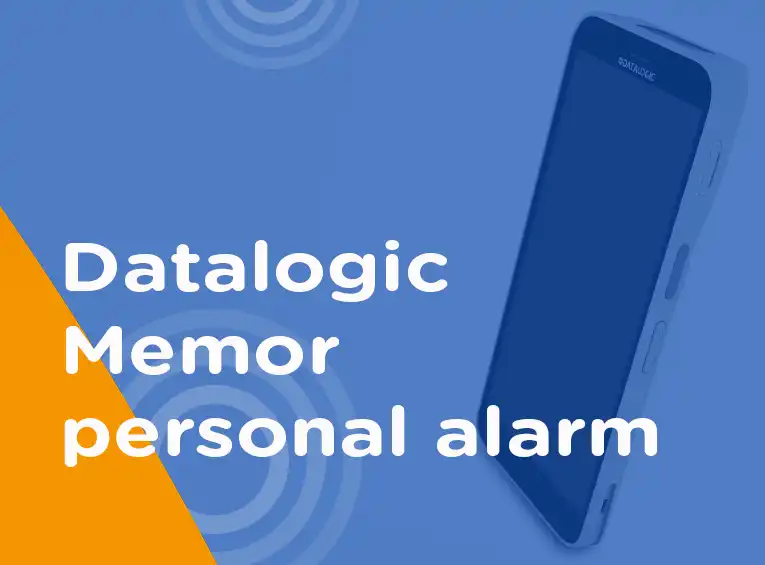
- Datalogic Memor
Many of these devices also support alarm differentiation. This means, for example, that pressing the button twice triggers one scenario, while pressing it three times triggers another. This functionality is often used to reduce the number of unintended alerts (“pocket alarms”).